
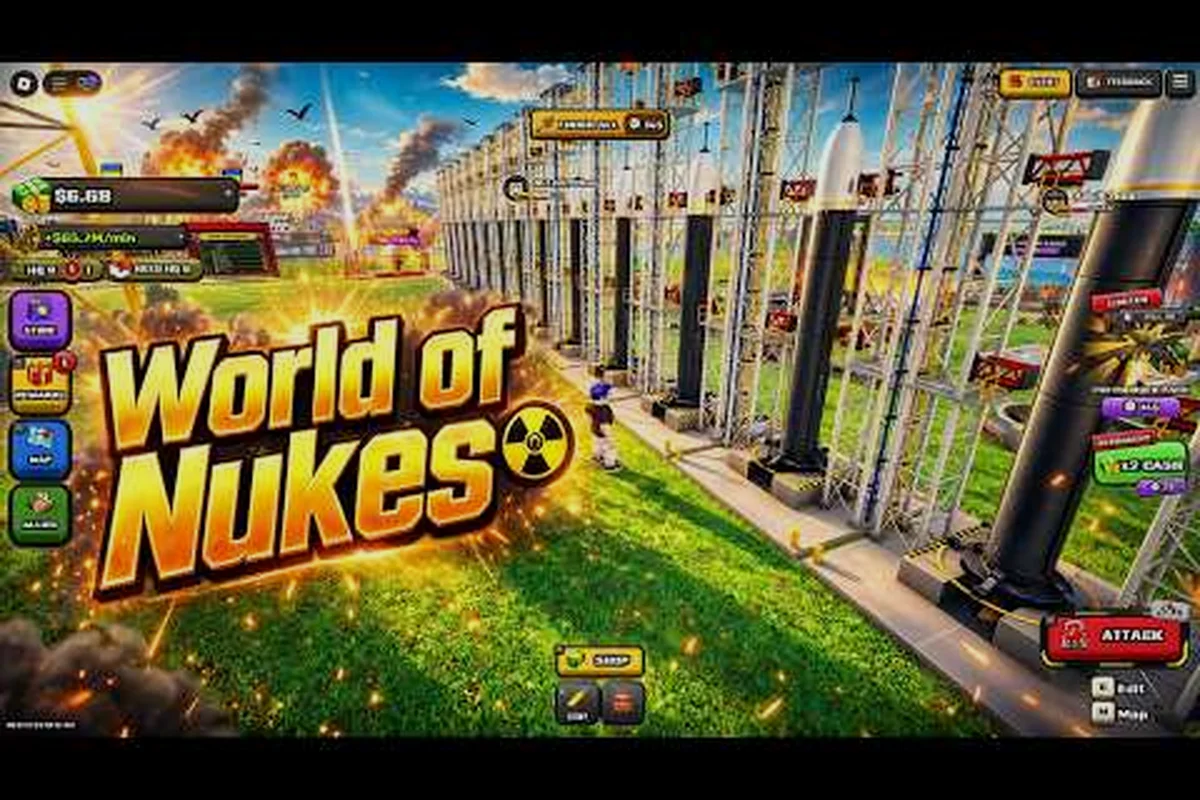
The World of Nukes events November 2026 outlook starts with a single hard fact: the live event window that opened on October 31, 2026 at 16:50Z and ran to November 1, 2026 at 22:27Z is the anchor everything else hangs on. If you missed it, you are not alone — the window was short, the listing vanished from the Roblox events page quickly, and most of what players know comes from community trackers rather than an official announcement.
That matters because November is now a gap month you can actually prepare for. The Halloween drop told us how this developer structures limited-time content, how long rewards stay claimable, and which mistakes cost players loot. Below is a full breakdown of what we know, what the timing suggests, and how to be ready the moment the next window appears.
What the October 31 Live Window Actually Told Us
The most useful piece of World of Nukes event coverage right now is the timestamp itself. Community stats trackers recorded the window as October 31, 2026 16:50Z to November 1, 2026 22:27Z — roughly 30 hours of live availability. A matching "UPDATE + LIVE EVENT" title appeared on the Roblox events page before it became unavailable, which is why so many players saw a notification but could not find the page afterward.
That ~30-hour span is the single most important number for planning November. It tells you the developer does not run week-long windows for this kind of drop. If a November event follows the same pattern, you get a day and a bit, not a full weekend.
| Signal | What Was Observed | What It Suggests for November |
|---|---|---|
| Window length | About 30 hours (Oct 31 16:50Z → Nov 1 22:27Z) | Expect a similarly tight window, not a multi-day run |
| Announcement channel | Roblox events page listing, later removed | Watch the events page, not just in-game banners |
| Update pairing | "UPDATE + LIVE EVENT" title seen together | Content patch and event likely ship at the same time |
| Reward confirmation | Community-reported only | Treat rewards as unconfirmed until the developer posts them |
| Start time | 16:50Z (late afternoon UTC) | Plan around UTC afternoons, not local evenings |
The pairing of an update with a live event is the detail worth internalizing. When a patch and an event launch together, the patch notes usually land first and the event flag flips shortly after — which means the fastest way to catch the next window is to watch for patch activity rather than waiting for an in-game popup.
Why the Listing Disappeared So Fast
Roblox event listings are frequently rotated or delisted once a window closes, and that appears to be what happened here. The page was visible, then it was not. This is normal platform behavior rather than a sign that the event was cancelled or rolled back, but it does create a documentation problem: there is no permanent official page to point at afterward.
The practical consequence is that community trackers are your best archive. If you want to verify what happened during the Halloween window, the official World of Nukes page on Roblox is the place to confirm the game is live and check for developer posts, while third-party stat trackers hold the timestamp record.
Breaking Down the Halloween Rewards and What They Imply
The World of Nukes halloween rewards are the second anchor for November planning, and here the honest answer is that specifics remain community-reported. No developer-confirmed reward list has circulated publicly, which means any exact item names you see floating around should be treated as unverified until an official post appears.
What we can read from the structure, though, is more reliable than the item names. Seasonal drops in this game follow a recognizable shape: a themed cosmetic tier, a low-friction unlock condition, and a claim window that trails the live event by several days. That pattern matters for November planning because it tells you how much of the Halloween haul you can realistically bank before the next limited time event window opens, and it explains why late logins still occasionally redeem rewards after the event banner disappears.
-
A cosmetic or themed reward tied to the season — the Halloween window almost certainly carried something visually themed, since that is the entire point of a seasonal tie-in.
-
A participation gate rather than a skill gate — short windows reward showing up, not grinding, because 30 hours is not enough time for a deep progression requirement.
-
A claim window that may outlast the event — rewards frequently stay redeemable briefly after the live window closes, which is why players who log in late sometimes still collect.
-
A patch-bundled delivery — because the update and event shipped together, rewards were likely distributed through the same update's systems rather than a separate event client.
For the granular reward-by-reward record as it develops, the live event rewards rundown tracks what players have actually confirmed versus what is still rumor — a useful split given that no developer-confirmed Halloween list has surfaced. Watch for two signals that separate real data from speculation: whether a reported item appears in the post-update patch notes, and whether multiple independent players can redeem it inside the claim window after the live event banner closes. A reward only one source names, with no in-game redemption screenshot, should stay filed as unverified heading into the next limited time event window.
Reading the Reward Structure for November
Here is the useful inference. If Halloween used a participation gate, a November event almost certainly will too. That changes your preparation strategy entirely — you do not need to grind levels or stockpile resources in advance. You need to be available during the window and know where to look.
| Reward Type | Likelihood for November | Prep Required |
|---|---|---|
| Seasonal cosmetic | High — matches established pattern | None beyond logging in |
| Participation-based unlock | High — fits a 30-hour window | Be online during the window |
| Skill- or level-gated reward | Low — window too short to support it | Minimal |
| Currency or resource bundle | Medium — common filler reward | None |
| Developer-confirmed exclusive | Unknown until posted | Watch official channels |
The takeaway is simple and it saves you wasted effort: do not pre-grind for a November event. The window is too short for progression gates to make sense, so preparation is about timing and information, not stats. Concretely, that means skipping the usual pre-event grind loop — no farming currency bundles, no pushing level thresholds, no stockpiling consumables — because a roughly 30-hour limited time event cannot realistically demand a skill- or level-gated unlock. Your actual prep checklist is three items: confirm your login window overlaps the event dates, follow the official channels that post developer-confirmed exclusives, and know which rewards are participation-based so you claim them on day one rather than scrambling at the deadline.
Timing Patterns That Predict the Next Window
World of Nukes events November 2026 speculation gets much more useful once you stop guessing dates and start reading cadence. The Halloween window closed on November 1 at 22:27Z. That leaves the entire rest of the month open, and there are three realistic scenarios worth planning around.
Scenario One: A Mid-Month Drop
If the developer treats Halloween as the November headline event, the next window could land in the second or third week of November. This is the most common cadence for seasonal content that needs breathing room before a December holiday push — you get roughly two to three weeks of quiet, then a new window.
Scenario Two: A Thanksgiving-Adjacent Window
Late November carries an obvious thematic hook for US-audience games. A window opening around November 20–27 would mirror the Halloween structure almost exactly: a late-week start, a ~30-hour run, and a themed reward. If you can only block out one stretch of time, block out that one.
Scenario Three: Nothing Until December
The least exciting but genuinely possible outcome is that November stays quiet and the next limited-time window arrives with a December holiday update. Halloween windows are often the biggest seasonal beat of the fall, and developers sometimes let them stand alone rather than competing with themselves.
| Scenario | Likely Window | Confidence | What to Watch |
|---|---|---|---|
| Mid-month drop | Nov 10–18 | Medium | Patch activity on the game page |
| Thanksgiving window | Nov 20–27 | Medium-high | Roblox events page listings |
| December rollover | Early December | Medium | Developer posts and update titles |
If the November window closes with no new limited-time event, the practical move is to stop refreshing the World of Nukes game page and instead watch the event schedule tracker, which logs each date-list update in one place. That matters most in a quiet month, because a December rollover would likely ship alongside a holiday update title rather than a standalone Halloween-style event, and the tracker flags that shift the moment a new window appears instead of leaving you to spot it manually.
Practical Event Tips for a 30-Hour Window
World of Nukes event tips for a window this short are different from tips for a long-running season. You are not optimizing a grind — you are optimizing for not missing a notification. These are the habits that actually matter.
Set a UTC-based reminder, not a local one. The Halloween window opened at 16:50Z, which is late afternoon in UTC but can be mid-morning or late evening depending on where you live. Convert once, write it down, and set the alarm for 30 minutes before.
Watch the events page, not the in-game banner. The listing appeared on the Roblox events page before it became unavailable, which means the page is a leading indicator. In-game banners tend to appear after the flag is already live.
Check for patch activity as an early warning. Because the Halloween drop paired an update with the event, a new patch landing is your strongest signal that a window is imminent. Patch first, event minutes later. In practice this means watching the Roblox version string and the game's update log rather than the in-game UI: the Halloween flag went live at 16:50Z on the back of a build push, and the limited-time event page only became reachable once that build was deployed. If you see a fresh version number or a changelog entry mentioning event content, treat the next 5–15 minutes as your login window and have your UTC alarm already set.
Log in during the first few hours if you can. A 30-hour window sounds generous until you account for sleep, work, and time zones. Players who logged in during the opening hours had the most room to recover from mistakes.
Screenshot your rewards immediately. With no permanent official event page, your own screenshot is the only durable record if a claim glitches. Capture the reward pop-up, your inventory count before and after claiming, and the timestamped UTC clock in the same frame — the Halloween flag going live at 16:50Z gives you a fixed reference point to prove when you claimed. If the limited-time event page later returns a 404 or the reward fails to register, that single image is your only evidence for a support ticket, since the in-game banner and events listing both disappear once the flag is pulled.
Common Mistakes That Cost Players Loot
The most frequent failure is assuming the window runs all weekend. Thirty hours across a Saturday and Sunday feels like two full days, but the world of nukes events november 2026 schedule is anchored to a fixed UTC reset, so the offset quietly eats six to ten usable hours depending on your region. A player in UTC+8 who checks in Saturday morning local time has already missed the Friday-evening UTC kickoff and the first wave of participation-gated rewards. Before the event opens, convert the published start and end timestamps into your own timezone and set a reminder for the end as well as the start — the closing hours are where latecomers discover the world of nukes limited time event window has already collapsed.
The second mistake is waiting for an official reward list before participating. If rewards are participation-gated, showing up is the requirement — you can learn what you earned afterward. The third is relying on a single notification source; when the events page listing was pulled, players who had only that source lost their reference point entirely.
Preparing Your Account Before the Next Window
Account prep for a short window is mostly about removing friction. You want zero setup time between the notification and your first minute in-game. In practice, that means treating the pre-window checklist as a fixed routine rather than a scramble: verify the game client loads past the launcher screen, confirm your login credentials work without a password reset, and set a UTC reminder the moment a November 2026 date surfaces. The 30-hour format leaves no slack for a 10-minute patch download or a forgotten password — every minute spent on setup is a minute not spent banking early event rewards.
-
Confirm the game loads cleanly on your device before the window, not during it.
-
Know your login credentials — password resets during a 30-hour window are a genuinely common way to miss content.
-
Clear your schedule for the opening hours rather than the closing ones, since early participation gives you recovery room.
-
Follow the developer's update feed so patch notes reach you without a manual refresh.
-
Bookmark the tracker pages so you are not searching while the window burns.
If you are newer to how these drops are structured, the full live event guide walks through the mechanics from the ground up, including how joining works and what to expect on arrival.
| Prep Task | Time Needed | When to Do It |
|---|---|---|
| Verify game loads | 5 minutes | Any day before the window |
| Confirm login credentials | 2 minutes | At least a week ahead |
| Set UTC reminder | 1 minute | As soon as a date leaks |
| Bookmark tracker pages | 2 minutes | Now |
| Clear opening-hours schedule | Varies | Once a date is confirmed |
None of this is glamorous, but a 30-hour window punishes disorganization far more than it punishes low stats. The players who missed Halloween loot almost certainly did not fail a challenge — they simply found out too late. The failure mode is almost always the same: a date surfaces on the developer's update feed, the 30-hour clock starts, and the player is still waiting on a patch download or hunting for the tracker page while the opening-hours reward tiers tick down. Running the five tasks in the prep table takes under 15 minutes total and costs nothing, yet it converts a coin-flip into a near-certain early-window entry — which is exactly the margin that separates banking the first reward tier from reading about it afterward.
Following World of Nukes Event Coverage Without Missing a Window
The biggest structural problem with this game's events is information scarcity, not difficulty. There is no permanent official event archive, listings get delisted, and reward details circulate as community reports. Building a reliable information habit is therefore the real skill.
Start with the game page itself for developer posts and update titles, since that is the one source that does not disappear. Layer community trackers on top for timestamps and window records — they captured the October 31 window when the official listing was already gone. Then add one community video channel for visual confirmation of what rewards actually looked like in practice, since written reports often disagree on item names.
Cross-check before you commit. If a reward claim appears in only one place, treat it as unverified. If two independent trackers agree on a timestamp, that timestamp is solid. The Halloween window's 16:50Z to 22:27Z range is a good example of a detail that held up across sources while item specifics did not.
For a deeper look at the seasonal structure and how joining works, the Halloween event 2026 breakdown covers the mechanics side — event map rotation, the reward-track tiers, and how the limited time event window is entered — in more detail than a timing-focused page can. Read it alongside the timestamp records here rather than instead of them: it explains what the 16:50Z to 22:27Z window actually contained, while this page tracks when that window opened and closed. Keeping the two cross-referenced is how you avoid treating a single community report as a confirmed Halloween reward.
Frequently Asked Questions
Is there a confirmed World of Nukes event in November 2026?
No confirmed November window has been announced. The only verified data point is the October 31 to November 1 live window, which community trackers recorded and which closed before November properly began. Any November date circulating now is speculation based on cadence patterns rather than an official developer statement.
How long do World of Nukes limited time events usually last?
The one documented window ran roughly 30 hours, from 16:50Z on October 31 to 22:27Z on November 1, 2026. That is short enough that time-zone math matters. Plan for a day-and-a-bit rather than a full weekend, and prioritize logging in during the opening hours.
Were the Halloween rewards ever officially confirmed?
Rewards remain community-reported rather than developer-confirmed as of this writing. The event structure — a short participation-gated window bundled with an update — is well supported by the observed listing, but specific item names should be treated as unverified until an official post appears on the game page.
Do I need to grind before a November event starts?
Almost certainly not. A 30-hour window is too short to support a meaningful progression gate, which is why the Halloween drop appears to have used participation as its requirement. Preparation should focus on timing, notifications, and account access rather than stats or resources.
Where will the next event be announced first?
Watch the Roblox events page and the game page for patch activity. The Halloween listing appeared there before it was delisted, and the update-and-event pairing means a new patch is the strongest early signal. Community trackers are the reliable backup once a listing disappears.
November 2026 is, for now, a planning month rather than an active one. The Halloween window gave us a 30-hour template, a UTC-anchored start time, and a clear signal that updates and events ship together — which is more than enough to be ready when the next listing appears.