
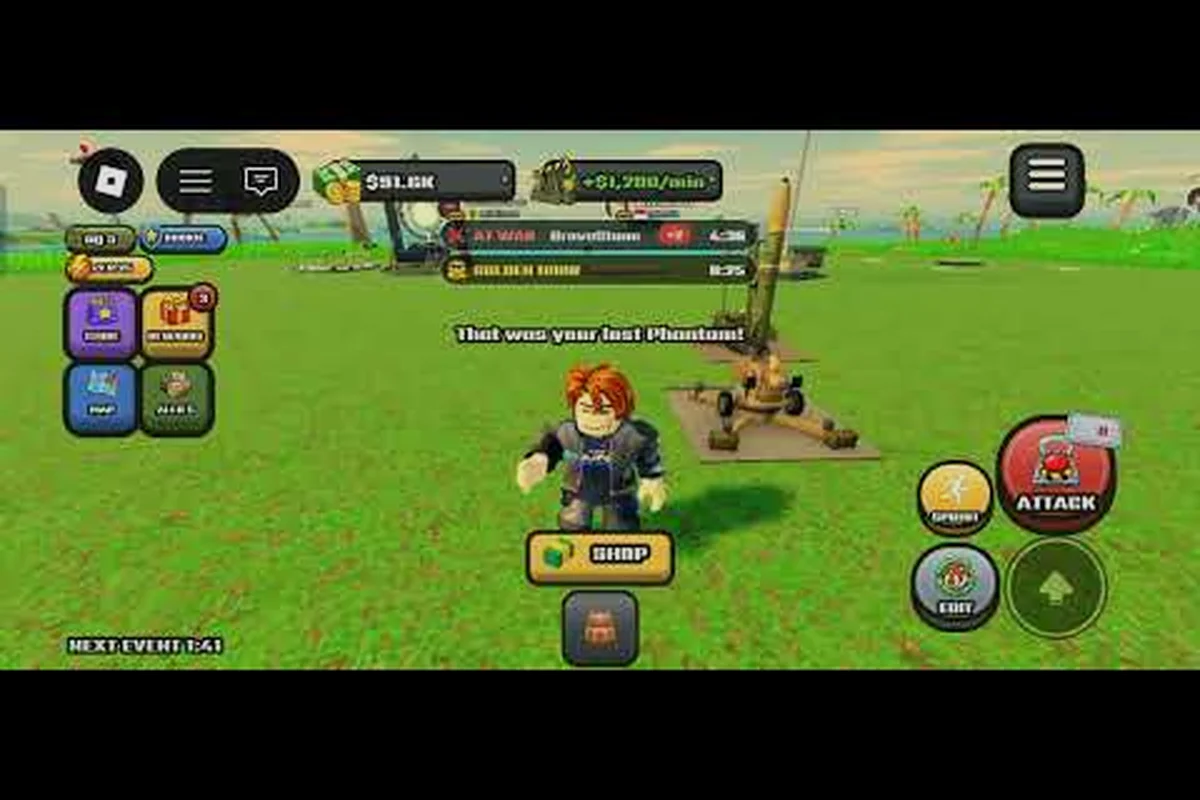
World of Nukes runs perfectly well on a phone, but the touch layout changes how you build, expand, and fight — and that shift decides whether you snowball or stall. This World of Nukes mobile guide covers the controls, the solo rhythm, and the exact habits that let you dominate a lobby from a small screen.
Why Mobile Changes Your World of Nukes Strategy
The game itself is the same island-nation tycoon on every device. According to the official World of Nukes page on Roblox, you grow a tiny camp into a superpower by expanding the island, deploying missiles, flying jets, commanding warships, and building anti-air and shields. What changes on mobile is input speed — tapping a build button takes longer than a keyboard hotkey, so every second you spend fumbling the UI is income you never collect.
That single constraint reshapes your whole plan. On desktop you can afford to hover over menus and re-read tooltips; on a phone, the players who win are the ones who pre-plan their taps and never open a menu they don't need. Community gameplay captured on mobile shows the first missile launch landing around the ten-minute mark for a clean opening, which tells you the early game is short and unforgiving.
Three mobile realities drive every decision below: input speed, screen real estate, and thermal throttling all pull against the same ten-minute opening window. On a phone, a build tap costs roughly two to three times the time of a desktop hotkey, so a player who opens the research menu "just to check" loses the income tick that funds their first missile. The fix is a fixed tap order — zoom out, queue the island expansion, then place the anti-air — so your thumb never hunts for a button mid-launch. Treat the first missile launch as your benchmark: if it slips past ten minutes, your tap sequence is leaking seconds.
-
Screen real estate is scarce, so zoom out before you build and zoom in only to place structures precisely.
-
Tap accuracy matters more than reaction speed, because a misplaced building wastes both money and a cooldown.
-
Battery and heat throttle performance, so long sessions need short breaks rather than marathon grinding.
If you are still learning the base loop, the beginner guide walks through the first ten minutes in detail before you worry about touch optimization. Get that opening down on the default layout first: the guide covers the exact build order for your first camp expansion, when to queue your initial missile silo, and how to read the income tick so you know whether a tap sequence is paying off. Only once you can hit that sub-ten-minute first missile launch consistently should you start remapping buttons or tuning sensitivity — otherwise you will be optimizing a tap order you have not actually learned yet, and every mis-timed anti-air placement will look like an input problem instead of a sequencing one.
Setting Up Touch Controls for a World of Nukes Mobile Guide
Before you touch a single building, spend two minutes tuning the interface. Most mobile players skip this and then blame the game for feeling clunky. The fix is simple: enlarge the tap targets you use most and hide the panels you rarely open.
The Control Layout That Actually Works
The default layout crams every button onto one screen, which is fine on a tablet and miserable on a phone where your thumb can't reach the build menu without covering the minimap. Reorganize around press frequency: what you tap every thirty seconds (income buildings, island expand) versus what you tap once a match (cosmetics, shop). In World of Nukes, income buildings fund your entire economy, so burying the build menu behind a sub-menu costs you precious seconds of income generation each cycle — on mobile, that delay compounds into a lost match.
| Control Element | Mobile Priority | Why It Matters |
|---|---|---|
| Build menu | Highest — keep one tap away | Income buildings fund everything else |
| Island expand | High — thumb-reachable | Expansion is your main growth lever |
| Missile launch | Medium — confirm before firing | Accidental launches drain your bank |
| Shield / anti-air | Medium — set once, check often | Defense protects your income engine |
| Jets and warships | Low — late-game only | Rarely needed in the first ten minutes |
| Cosmetics and shop | Lowest — hide entirely | Pure distraction during a run |
Camera Discipline on a Small Screen
Pinch-zoom is your best friend and your worst enemy. Zoom out to survey your whole island before you commit to a build, then zoom back in to place structures on the exact tile you want. Double-tap to recenter whenever the camera drifts, because a lost camera on mobile costs you five to ten seconds of pure confusion.
Keep the camera at a medium zoom during combat so you can see incoming threats without losing your own base off-screen. Players who stay zoomed in for the whole match routinely miss an approaching jet until it is already overhead.
The World of Nukes Solo Guide: Building an Economy Alone
Solo play is where mobile shines, because you are not waiting on teammates to type in chat. The trade-off is that nobody covers your blind spots, so your economy has to be self-sufficient and your defense has to be automatic.
Income First, Everything Else Second
The single most repeated piece of community advice is that income buildings come first because they fund every later expansion, while offense only pays for itself later. On mobile this is even more true, because slow tapping means fewer total actions per minute — so every action should be an income action early.
A clean solo opening looks like this: drop your first income building the moment the match starts — before you touch the build menu, the research tree, or the map — then queue a second income structure while the first is still generating, so your gold-per-minute never flatlines during the early tap drought. Resist the urge to double-expand your island in the opening minutes; one expansion keeps your worker-to-building ratio healthy and leaves enough resources to slot a basic anti-air structure before your first missile goes up. That sequencing matters because offense in World of Nukes only pays for itself once your economy can absorb rebuild costs, and on mobile the slower tap cadence makes every misallocated early action roughly twice as expensive as it would be on desktop.
-
Place your first income building immediately, before exploring menus.
-
Queue a second income structure while the first is still generating.
-
Expand the island once, not twice, in the opening minutes.
-
Add a basic anti-air structure before your first missile.
-
Only then start saving toward offense.
That order keeps your cash flow positive while your tap budget stays low. Skipping step four is the most common solo death — you build a beautiful economy and then lose it to the first player who notices you have no shields.
When to Expand Versus When to Upgrade
Expansion and upgrades compete for the same money, and mobile players tend to over-expand because the expand button is visually tempting. Use this rule instead: expand when your income buildings are full, upgrade when they are not. A full island with maxed income beats a sprawling island with half-built structures every single time.
Expansion also affects tap accuracy, and that is where mobile players lose more than they realize. On a phone screen, a cramped layout stacks build buttons and upgrade prompts so close together that a mistimed tap can trigger the wrong action mid-raid — often the difference between repairing a wall and wasting cash on an unwanted structure. The island building guide breaks down layout spacing in more depth, and its rules matter more on mobile than on desktop because a cramped build is harder to tap accurately when your income buildings are already full and every second of the raid counts.
World of Nukes How to Win Against Real Opponents
Winning is not about firing the biggest missile. It is about timing your offense around your opponent's economy cycle and never letting your own income dip below replacement rate. Every silo, refinery, and warhead you build is a fixed drain on your per-second resource tick, so a launch that lands while your rival is mid-upgrade forces them to choose between defending and stalling their production queue. The practical rule: scout their build queue, bank enough resources to rebuild whatever you lose in the exchange, and only commit missiles when your stockpile can absorb a full counter-barrage. Players who fire on impulse from a single maxed silo routinely get out-produced within two minutes — the winner is whoever still has income flowing after the dust settles.
Reading the Lobby
Watch the scoreboard for the first few minutes. Players who spike early in building count are usually over-expanding and will stall; players who climb slowly in income are the real threats. On mobile, you can check the scoreboard between build taps without losing much time.
| Opponent Pattern | What It Signals | Your Response |
|---|---|---|
| Fast building count, slow income | Over-expanded, cash-starved | Wait, then strike their undefended edge |
| Slow start, steady income | Patient builder, likely shielded | Match their economy, do not rush |
| Early missile launch | Aggressive, thin defense | Build anti-air, absorb the hit, counter |
| No expansion after five minutes | Turtling or idle | Out-grow them and win on income |
| Constant jets | High spend on offense | Shield up, they will run dry |
The Strike Window
The best moment to attack is right after an opponent expands, because expansion drains their bank and leaves their new structures undefended. On mobile you can watch for the island-size jump on the scoreboard, then fire within the next thirty seconds. That timing window is the core of how to dominate a lobby without ever winning a straight fight.
For the full offensive playbook, including arsenal choices and launch sequencing, the nuke guide covers which warheads punish which base layouts. Pair it with the strike-window timing above: a Hydrogen Bomb's wide blast radius is overkill against a freshly expanded island still holding only a few cheap structures, so reserve your heaviest warheads for fortified cores and spend lighter missiles to snipe the undefended expansion before its owner can reinvest. Matching warhead tier to target density this way stretches a limited arsenal across more attacks and keeps pressure on multiple rivals instead of burning your stockpile on one overkill launch.
World of Nukes How to Dominate the Mid-Game on a Phone
Mid-game is where mobile players either pull ahead or fall apart, because the number of things demanding your attention multiplies while your tap speed stays fixed. The solution is automation through structure — build a base that defends itself so you can spend your taps on growth.
Defense That Runs Without You
Set your anti-air and shields before you need them, then check them on a fixed rhythm rather than constantly. A good cadence is every third build action, glance at your defense coverage. That keeps you aware without burning taps on paranoid scanning.
-
Layer your anti-air so a single missile cannot clear your whole defense grid.
-
Space shields to cover income buildings, not empty coastline.
-
Keep one repair reserve in the bank at all times so a hit does not end your run.
Scaling Without Micromanagement
The mid-game transition is about shifting from many small buildings to fewer, higher-value ones. Fewer structures means fewer taps, which is exactly what a phone player needs. Consolidate your income into upgraded hubs and let the cheap starter buildings go.
The late game guide explains the upgrade curve in detail, including when the Doomsday Device and wonders become realistic targets rather than expensive distractions. The key threshold is your resource-per-minute output: if your consolidated hubs can't sustain a steady uranium and oil flow, a Doomsday Device build will stall mid-construction and leave you exposed to a solo raid. Treat wonders as force multipliers you unlock only after your economy stabilizes, then time their completion around shield coverage so a single nuke can't erase hours of investment.
Mobile Performance and Session Habits
A laggy phone loses matches. Heat throttling drops your frame rate right when a missile is inbound, and a dropped tap during a build queue can cost you a full income cycle. Treat performance as part of your strategy rather than an afterthought.
| Habit | Effect on Performance | Recommended Setting |
|---|---|---|
| Closing background apps | Frees memory, smoother taps | Always before a session |
| Lower graphics quality | Reduces heat and battery drain | Medium on phones |
| Playing plugged in | Prevents mid-match shutdown | Only if the device stays cool |
| Session length | Long sessions throttle hard | 30-45 minutes, then a break |
| Wi-Fi versus cellular | Stability matters more than speed | Wi-Fi when possible |
According to community reports, the biggest mobile complaint is not difficulty but frame drops during large battles, and those stutters cluster exactly when the most is happening on screen: mass missile launches, stacked unit queues, and multiple explosion effects rendering at once. Dropping to medium graphics before a fight is smarter than lowering them after you have already lost one, because the throttle and heat spike hit mid-engagement, not during the calm build-up. Make it a pre-battle ritual: close background apps, set quality to medium, and only then commit your nukes.
Frequently Asked Questions
Is World of Nukes playable on a phone without a controller?
Yes. The game runs through Roblox, which supports touch input natively, so no controller is required. The main adjustment is tap speed rather than missing features, and reorganizing your build menu to keep income buildings one tap away closes most of the gap with desktop players.
What should I build first in a solo run?
Place an income building before anything else, then a second one, then a single island expansion. Add basic anti-air before your first missile so your economy survives contact with an aggressive neighbor. Offense pays for itself later, but only if your income engine is already running.
How do I win when my opponent has more buildings?
More buildings usually means they over-expanded and are cash-starved. Wait for their next expansion, then strike the undefended edge within thirty seconds while their bank is empty. Matching their income and out-lasting them is often safer than a direct assault.
Does graphics quality affect gameplay on mobile?
It affects frame rate and heat, which indirectly affects your tap accuracy and reaction time. Medium settings on a phone keep the game smooth during large battles. Lower the settings before a fight rather than after, since throttling mid-battle is what actually costs you the match.
How long should a mobile session last?
Around thirty to forty-five minutes per session works well, followed by a short break. Long sessions cause heat throttling and battery drain, both of which degrade performance right when late-game battles demand the most precision. Short, focused sessions beat marathon grinding on a phone.
Final Word on Playing World of Nukes on Mobile
The mobile version of World of Nukes rewards planning over reflexes. Tune your touch layout, protect your income before you chase offense, and treat every tap as a resource you cannot waste. Expand only when your buildings are full, strike only when your opponent's bank is empty, and keep your device cool enough to land the taps that matter. Do those three things consistently and a small screen stops being a handicap — it becomes the reason you out-grow everyone still fumbling with menus.